> ## Documentation Index
> Fetch the complete documentation index at: https://docs.openfuturecoalition.org/llms.txt
> Use this file to discover all available pages before exploring further.
# Discussions
> Long-term repositories for ongoing dialogue and information
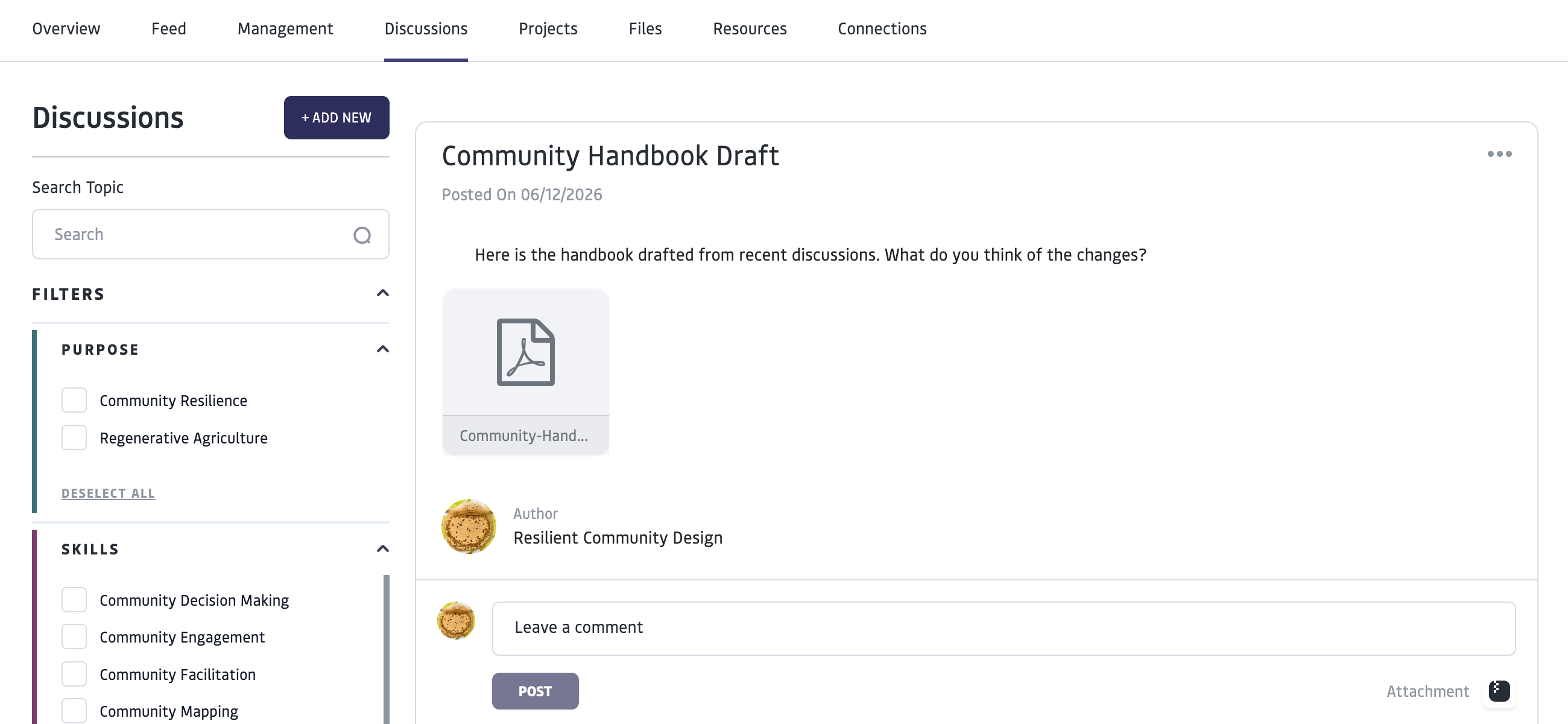 Discussions are dedicated spaces within Projects and Groups for creating and interacting with searchable, taggable topic threads. Discussions provide a long-term repository for ongoing dialogue, knowledge organization, and maintaining continuity as projects evolve.
Discussion threads are best used for organizing knowledge and ongoing discussions of topics. For current updates and quick communications, consider using the Feed, which holds a running set of posts in chronological order.
# Use Discussions
Discussions are dedicated spaces within Projects and Groups for creating and interacting with searchable, taggable topic threads. Discussions provide a long-term repository for ongoing dialogue, knowledge organization, and maintaining continuity as projects evolve.
Discussion threads are best used for organizing knowledge and ongoing discussions of topics. For current updates and quick communications, consider using the Feed, which holds a running set of posts in chronological order.
# Use Discussions
 Search for discussions in a project or group using the search bar or filter by tags. Comment on existing discussions using the text box below a discussion post.
# Create a Discussion
Only Community Managers can create a new “Discussion” topic for a Group or Project. You can create a Discussion in your own personal profile and add “Connections” to join your Discussion, but it will only be visible to the connections you invited- not on a group or project level.
Add tags for the thread to be searchable by purpose, skills and knowledge.
\_Consider what tags will make this thread most discoverable for other members. \_
When you create the Discussion, Discussion participants will receive an email notification and platform notification when a new discussion topic is created.
# Manage Discussions
The creator of a group or project as well as managers are able to:
* Post new discussion threads and edit the discussions they create
* Moderate threads (including deleting comments)
The creator of a group or project is also able to delete threads in the group or project they created, regardless of who created it.
# FAQ
Search for discussions in a project or group using the search bar or filter by tags. Comment on existing discussions using the text box below a discussion post.
# Create a Discussion
Only Community Managers can create a new “Discussion” topic for a Group or Project. You can create a Discussion in your own personal profile and add “Connections” to join your Discussion, but it will only be visible to the connections you invited- not on a group or project level.
Add tags for the thread to be searchable by purpose, skills and knowledge.
\_Consider what tags will make this thread most discoverable for other members. \_
When you create the Discussion, Discussion participants will receive an email notification and platform notification when a new discussion topic is created.
# Manage Discussions
The creator of a group or project as well as managers are able to:
* Post new discussion threads and edit the discussions they create
* Moderate threads (including deleting comments)
The creator of a group or project is also able to delete threads in the group or project they created, regardless of who created it.
# FAQ