> ## Documentation Index
> Fetch the complete documentation index at: https://docs.openfuturecoalition.org/llms.txt
> Use this file to discover all available pages before exploring further.
# Feed
> The primary hub for real-time coordination and communication
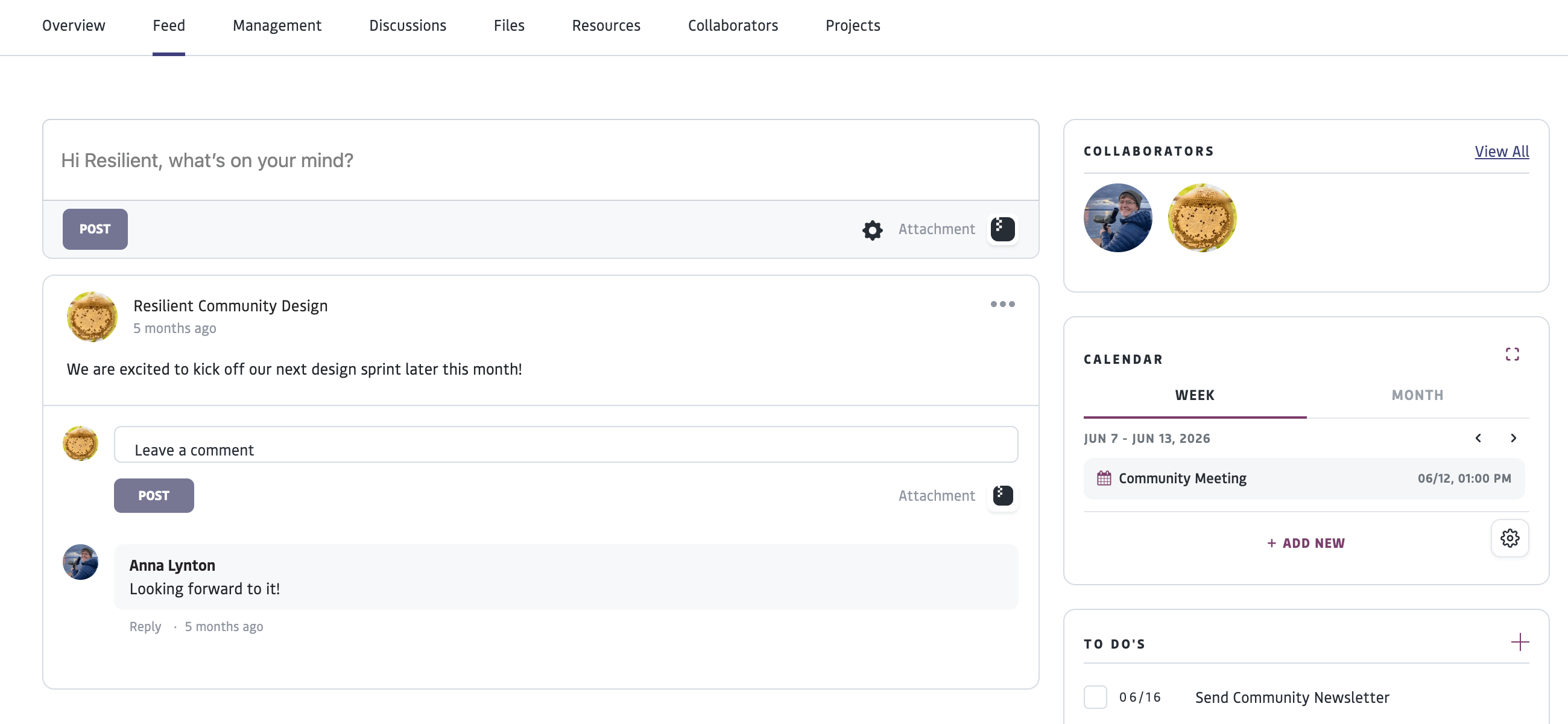 The Feed is a dynamic space that displays a running set of posts, calendar events, and attachments associated with a specific area of the platform. It exists across projects, groups, and individual or organizational profiles.
It serves as the primary hub for real-time coordination and communication. It allows users to stay updated on recent activities, track upcoming deadlines via the calendar, and manage active tasks without navigating to deeper project management layers
Posts in the Feed are a running set of posts in chronological order and are best used for current updates and quick communications. For ongoing topics of discussion that are archived and tagged for searchability, use ["Discussions"](/platform-fundamentals/discussions).
# A Group or Project's Feed
* Shows posts, calendar events, and attachments associated with the specific project or group.
* Allows you to create a post to share with other members of the group or project or comment on posts from other members. Posts can include images and links.
To post to a Group or Project feed, you must be a member or collaborator of that space.
For those logged into an Organization profile, the Feed includes "Pending Approvals" to review and approve submitted results and tasks.
# An Individual Profile’s Feed
* Shows an aggregation of information from across your connected spaces
* Allows you to make comments on posts from your groups or projects
* Shows tasks that have been assigned from projects you are participating in
* Shows a calendar of events from projects or groups you are a part of and can create personal events
* Allows you to add and check off personal to-do list items
# FAQ
The Feed is a dynamic space that displays a running set of posts, calendar events, and attachments associated with a specific area of the platform. It exists across projects, groups, and individual or organizational profiles.
It serves as the primary hub for real-time coordination and communication. It allows users to stay updated on recent activities, track upcoming deadlines via the calendar, and manage active tasks without navigating to deeper project management layers
Posts in the Feed are a running set of posts in chronological order and are best used for current updates and quick communications. For ongoing topics of discussion that are archived and tagged for searchability, use ["Discussions"](/platform-fundamentals/discussions).
# A Group or Project's Feed
* Shows posts, calendar events, and attachments associated with the specific project or group.
* Allows you to create a post to share with other members of the group or project or comment on posts from other members. Posts can include images and links.
To post to a Group or Project feed, you must be a member or collaborator of that space.
For those logged into an Organization profile, the Feed includes "Pending Approvals" to review and approve submitted results and tasks.
# An Individual Profile’s Feed
* Shows an aggregation of information from across your connected spaces
* Allows you to make comments on posts from your groups or projects
* Shows tasks that have been assigned from projects you are participating in
* Shows a calendar of events from projects or groups you are a part of and can create personal events
* Allows you to add and check off personal to-do list items
# FAQ