
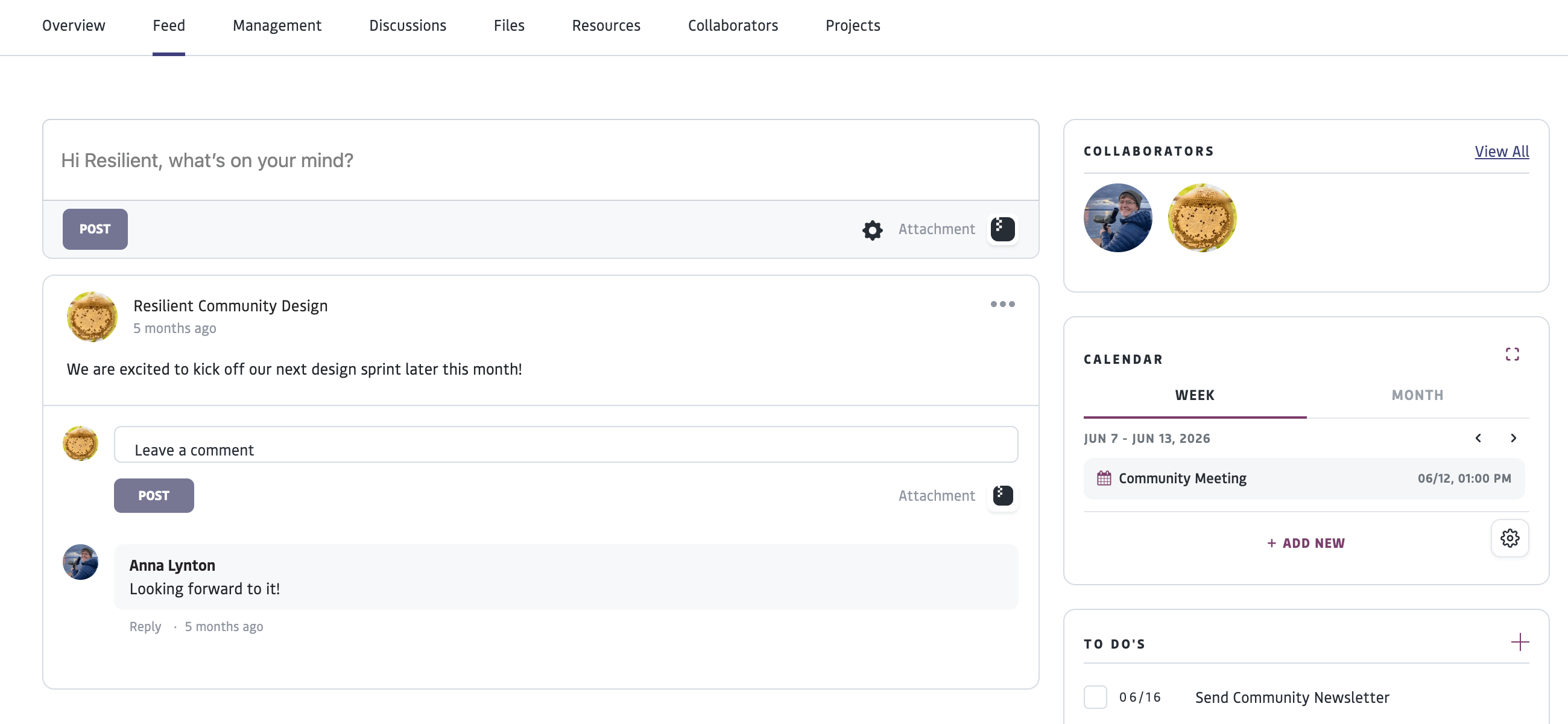
Posts in the Feed are a running set of posts in chronological order and are best used for current updates and quick communications. For ongoing topics of discussion that are archived and tagged for searchability, use “Discussions”.
A Group or Project’s Feed
- Shows posts and calendar events associated with the specific project or group.
- Allows you to create a post to share with other members of the group or project or comment on posts from other members. Posts can include images and links.
To post to a Group or Project feed, you must be a member or collaborator of that space. For those logged into an Organization profile, the Feed includes “Pending Approvals” to review and approve submitted results and tasks.
An Individual Profile’s Feed
- Shows an aggregation of information from across your connected spaces
- Allows you to make comments on posts from your groups or projects
- Shows tasks that have been assigned from projects you are participating in
- Shows a calendar of events from projects or groups you are a part of and can create personal events
- Allows you to add and check off personal to-do list items
FAQ
Who can see my content?
Who can see my content?
Visibility depends on the privacy settings configured for each item. Depending on the type of content and its settings, it may be visible only to you, your organization, members of a specific Group or Project, your connections, or the public. Many platform components—including Groups, Projects, Resources, Files, and Dashboards, as well as individual posts and discussion threads—can be configured with different visibility settings to support a wide range of collaboration models. Learn more about privacy settings here.
Can I make some content public while keeping everything else private?
Can I make some content public while keeping everything else private?
Yes. Privacy settings are managed independently for many platform components, allowing organizations to selectively publish Posts, Discussions, Resources, Dashboards, Files, or other content with select groups, projects, or connections. Users can also independently manage who can see, interact with, or discover each individual project or group space. Platform spaces, such as projects or groups, may even be made visible to members or the public, while select content published within that space, such as individual posts or discussions, may be kept private or shared with a smaller subset. For example, you may make a group publicly visible, or visible to members, while configuring a specific post or event within that space to be private or only shared with select profiles. You may also publish a resource as public or shared with a specific group, while requiring membership to a particular group or subset to view particular files that are attached to that resource. Or, you may publicly share a link to a project profile, but make a dashboard in that project only visible to project collaborators. Learn more about privacy settings here.
If I add an attachment to a discussion, post, or task, who can see it?
If I add an attachment to a discussion, post, or task, who can see it?
In most cases, newly attached Files inherit the permissions of the item they are attached to. For example, a File attached to a private discussion will generally only be visible to people who have access to that discussion. File permissions can also be reviewed and updated through the Files interface when needed. They can also be managed individually. Learn more about privacy settings here.