
Receiving Task Assignments
When a task is assigned to you, you will receive both:- Email Notifications: You will receive an automated email from [email protected] informing you of the new assignment.
- Platform Notifications: A notification will appear under the bell icon in the upper right corner of your personal profile.
Viewing Your Tasks
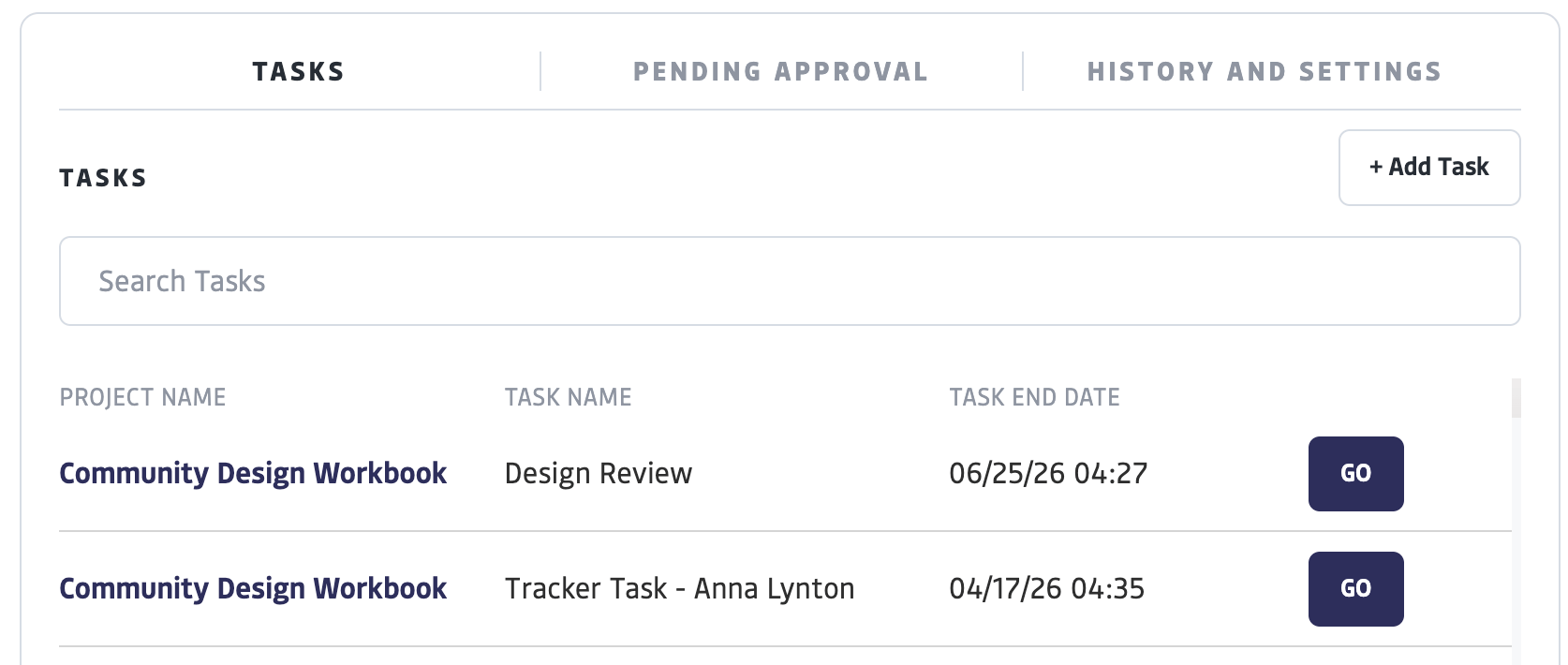
Once assigned, you can access and view your tasks in two main areas:- Personal Feed: All tasks assigned to you will appear in the Feed of your profile
- Project Feed: Within a specific project’s Feed of which you are a member, you will see your tasks associated with that project
- Calendar: Any task with a set start and end date will automatically appear on your personal profile calendar and the project’s shared calendar.
Completing a Task
To work on and finalize an assigned task:1
Open the Task
From your Feed’s task list, select “Go” to open the full task details.
2
Enter Contributions
You can record several types of data depending on the task requirements:
- Time Tracking: Note the time contributed to the task. You can add multiple rows.
- Reporting Data: For “Measurable Result” tasks, enter specific quantities, dates, and descriptions related to project goals.
3
Save or Finalize
- Select “Save” to keep your progress and return to the task later.
- Select “Mark Complete” once you have finished the work.